
DVD-Cloner XR Gold 2025
DVD-Cloner XR Gold 2025: The Ultimate Guide to Backing Up Your Movie Collection
Let’s be honest for a second: in the age of Netflix, Disney+, and Hulu, physical media feels a bit like a lost art. But for those of us who are true collectors—the movie buffs who love the commentary tracks, the deleted scenes, and the crisp quality of a Blu-ray—our disc collection is precious.







However, discs have a mortal enemy: time. Scratches, disc rot, or just a clumsy friend borrowing a movie can ruin a disc forever. That is exactly why having a robust backup tool is non-negotiable.
Enter DVD-Cloner XR Gold 2025. If you’ve been scouring the web for a reliable way to clone, copy, and preserve your library, you’ve likely stumbled upon this name. Today, we’re going to take a deep, conversational dive into what makes this software the “gold” standard for 2025, how it works, and why it should be installed on your PC right now.
Overview
So, what exactly is DVD-Cloner XR Gold 2025? Think of it as a digital safety net for your physical media. It is a comprehensive software suite designed to copy, clone, and burn DVDs and Blu-rays with incredible precision.
Unlike some basic burning tools that might compress your video until it looks like a pixelated mess from 2005, DVD-Cloner XR Gold focuses on quality preservation. It is designed to decrypt DVDs (yes, even the ones with stubborn region codes) and create a perfect 1:1 copy. Whether you want to back up a disc to your hard drive as an ISO file or burn a copy for your car’s DVD player so the kids don’t scratch the original, this tool handles it all.
The “Gold” in the name isn’t just marketing fluff; it implies that this version includes advanced features like multi-format support and enhanced decryption abilities that the standard versions might lack.
User Interface and Design
If you are intimidated by the idea of “cloning” and “decrypting,” don’t worry. The developers behind DVD-Cloner XR Gold 2025 clearly understand that not everyone is an IT professional.
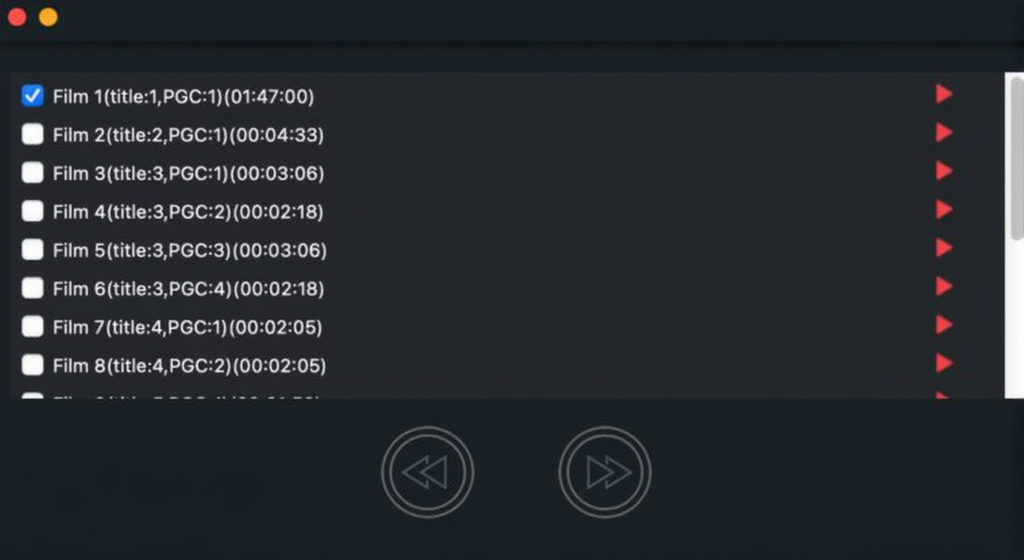
The user interface (UI) is designed with a “Wizard” style approach. This means the software literally holds your hand through the process. When you launch the program, you aren’t bombarded with confusing command lines or obscure settings. Instead, you are greeted with a clean, modern dashboard that asks you what you want to do.
Do you want to copy a DVD to another DVD? Do you want to rip a movie to your hard drive? The icons are large, intuitive, and clearly labeled.
One of the best design choices here is the inclusion of two distinct modes:
- Express Mode: This is for the “one-click” users. You insert the disc, press a button, and the software handles the rest automatically.
- Expert Mode: If you’re a power user who wants to tweak compression rates, select specific audio tracks, or remove unwanted subtitles to save space, this mode opens up the hood and lets you tinker.
The aesthetic is usually easy on the eyes—typically a dark mode theme that looks sleek on modern Windows setups. It feels premium, responsive, and surprisingly approachable.
Core Features and Functionalities
Okay, let’s get into the nitty-gritty. Why should you download this specific version? Here is a breakdown of the features that make DVD-Cloner XR Gold 2025 a powerhouse.
- Perfect 1:1 DVD Copying
The holy grail of cloning is the 1:1 copy. This software can take a DVD-9 (a dual-layer, high-capacity disc) and copy it to another DVD-9 without losing a single byte of data. The menus, the special features, the Easter eggs—everything is preserved exactly as the director intended.
- Smart Compression (DVD-9 to DVD-5)
Blank dual-layer discs can be expensive. A standout feature here is the ability to shrink a massive movie (DVD-9) onto a standard, cheaper blank disc (DVD-5). The software utilizes optimized transcoding algorithms to reduce the file size while maintaining excellent visual quality. It’s smart enough to cut out the “fluff” (like warnings and trailers) to prioritize the bitrate for the main movie.
- Removal of Copy Protections
This is a big one for collectors. Discs often come with Region Codes, CSS, or Sony ARccOS protection, which prevents you from backing them up or playing them on drives from other countries. DVD-Cloner XR Gold acts as a master key, stripping these protections away so you truly own the content you paid for.
- Blu-ray and 4K Support
It’s 2025—we aren’t just watching standard definition anymore. This software supports backing up high-definition Blu-rays and even 4K UHD discs to your hard drive. You can save them as ISO files or MKV files, making it easy to stream your collection via a Plex server or media center.
- Smart Analyser and HST
Under the hood, the software uses a “Smart Analyser” to ensure it reads bad sectors or scratched discs as best as it can. Plus, it utilizes HST (Hardware Acceleration) technology. This means if you have a decent graphics card (NVIDIA or AMD), the software uses that power to speed up the burning process significantly. No more waiting three hours for a single burn!
Technical Setup Details
Before you hit that download button, it helps to know what you are installing. We want to ensure a smooth setup process so you can start cloning immediately.
- Software Full Name: DVD-Cloner XR Gold 2025
- Setup File Name: You will typically find this as a zip or rar file (e.g., DVD-Cloner_XR_Gold_2025.rar).
- Installation Type: This is usually an Offline Installer / Full Standalone Setup. This is great because you don’t need an active internet connection to install it once you have the file.
- Compatibility Architecture: It is optimized for modern machines, supporting both 32-bit (x86) and 64-bit (x64) architectures.
- Security: As with all downloads, ensure you are getting it from a reputable source (TechConnectHUB) to avoid bundled malware. The setup wizard is straightforward—just follow the prompts, accept the license agreement, and you are good to go.

System Requirements
Can your PC handle it? The good news is that DVD-Cloner XR Gold 2025 is surprisingly lightweight. You don’t need a NASA supercomputer to run it, but having a decent rig will speed up the burning and transcoding process.
Here are the minimum and recommended specs you should aim for:
- Operating System: It runs smoothly on Windows 7, 8, 10, and is fully optimized for Windows 11.
- Memory (RAM):
- Minimum: 2 GB of RAM.
- Recommended: 4 GB or more. Video processing eats RAM for breakfast, so more is always better.
- Hard Disk Space:
- Installation: You only need about 200 MB to install the program.
- Working Space: Crucial Note! To clone a DVD, the software needs to create a temporary file. You should have at least 10 GB to 20 GB of free space on your drive for DVD temporary files, and upwards of 50 GB if you are working with Blu-rays.
- Processor: An Intel Dual Core processor or later. If you have an i5 or i7 (or AMD equivalent), you will notice significantly faster speeds.
- Hardware: Obviously, you need a DVD or Blu-ray burner drive!
Final Thoughts
In a world that is moving entirely to the cloud, there is something comforting about having a physical backup of your favorite media. DVD-Cloner XR Gold 2025 bridges the gap between the physical and digital worlds perfectly.
It’s powerful enough for the tech-savvy archivist yet simple enough for someone who just wants to make a copy of their wedding video. With its ability to bypass protections, compress files without ruining quality, and utilize your PC’s hardware for speed, it remains the top choice for disc cloning software this year.
If you care about your movie collection, don’t wait for disc rot to set in. Download the tool, back up your libraries, and keep your cinema history safe for the future.
Have you used DVD-Cloner before? Let us know your experience in the comments below!
Ready to safeguard your movie collection?
You are just one click away from securing your library. Whether you want to test the waters or dive straight into the full features, simply hit the link below to start your DVD-Cloner XR Gold 2025 Free Download. Let’s get those backups started! (available in both Free and Premium versions)

